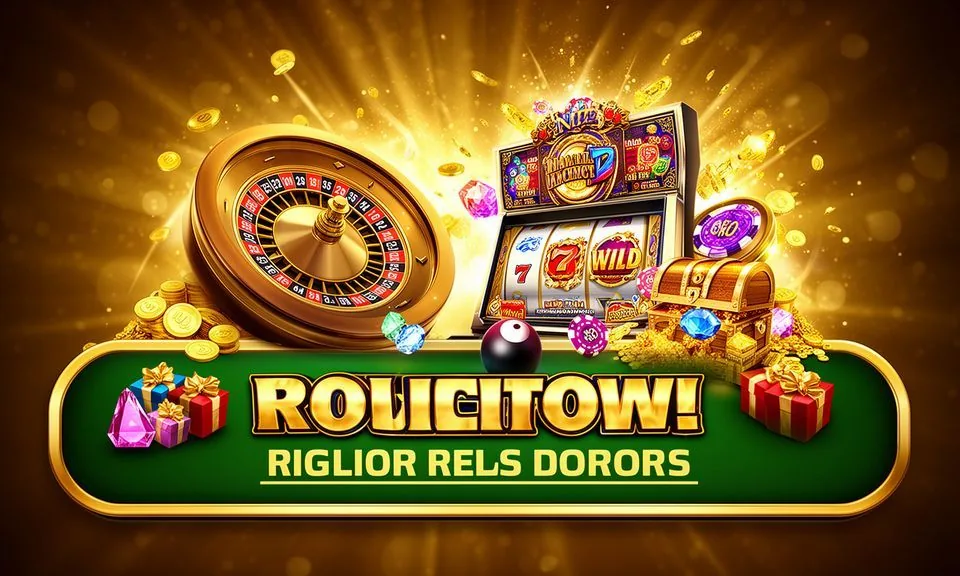
bd133 is a casino lobby shaped around the choices Bangladesh players make — switching between live dealer tables and self-paced slots, managing wallets through Nagad and Rocket, and getting answers without friction. We put the account flow first so you spend less time navigating and more time at the table.
When we put bd133 together, the core question was simple: what does a Bangladesh player actually need at the moment they open a lobby? Not a wall of marketing claims — a clear path from game selection to account management. We structured the navigation around that answer. Live casino tables from studios including Joker and PG Soft sit alongside slot rooms from Microgaming, CQ9 and JDB, and crash-style titles are one tap from the home rail. The compare-first layout means you see live tables and self-paced games side by side before you commit to either. Your account wallet connects directly to Nagad and Rocket, the payment rails most familiar to Bangladesh members, so a deposit or withdrawal follows the same steps you already know. We built the account area to surface your transaction record, active game history and support routes in one place — no digging through menus.
Nagad wallet support
Rocket payment rail
Mobile account access
Live and slots lobby
PLATFORM AT A GLANCE
Four Facts About How bd133 Is Structured
These are structural facts about the platform — the game categories available, the device access routes, the languages supported in the account area, and the support channels published on the site. We list only what you can verify when you open the lobby or your account page. No invented counts, no inflated numbers.
Game studios in the lobby: Joker, Microgaming, JDB, CQ9, PG Soft, PlayStar
6
Published account languages: English with Bangladesh-local context throughout
2
Local payment rails configured: Nagad, Rocket, bKash
3
Primary access routes: mobile browser and desktop web, no app download required
2
REACH US DIRECTLY
Support Routes Published on This Site
Every help route listed here is one we actually publish on the site — not a placeholder channel or an invented SLA. If you hit a question mid-session, the support icon in your account header opens the fastest path. We keep the routes short because a long support chain is itself a product failure.
Live Chat
Open the chat icon from any page while signed in. The conversation stays attached to your account so follow-up questions pick up where you left off — no need to repeat your wallet or session details each time.
Account Help Centre
The Help section inside your account groups wallet queries, game access questions and identity verification steps by topic. Start there for Nagad or Rocket transaction questions before escalating to live chat.
Email Support
For detailed account or payment queries, the email route is listed on the Contact page. Attach your transaction reference and the payment rail — Nagad, Rocket or bKash — so the team can locate the record without extra back-and-forth.
HOW WE EARN YOUR CONFIDENCE
What Makes bd133 a Reliable Place to Play
Trust in a lobby comes from what you can check, not what we claim. We point to four things here that you can verify yourself: the payment rails connected to your wallet, the studios whose titles appear in the lobby, the account history visible in your signed-in area, and the support routes published on this page. None of these require you to take our word for anything.
Verified Payment Rails
Nagad and Rocket are confirmed on the wallet page — you see them as selectable options when you open a deposit or withdrawal request. No ambiguity about which rails are active and which are not at any given time.
Studio-Verified Game Lobby
Every title in the lobby carries its studio tag — Joker, Microgaming, JDB, CQ9, PG Soft or PlayStar. You can filter by studio on the game rail so the source of any title you open is visible before you start.
Account Transaction Record
Your wallet history inside the account area shows every deposit and withdrawal with a timestamp and payment rail label. If a Rocket or Nagad transfer appears unclear, the record is the first place to check before contacting support.
Published Support Routes
The three support routes listed on this page are the same ones shown in your account header. We do not list channels we cannot staff or promise response windows we have not confirmed — what you see is what is active.
LIVE TABLES VS SLOTS
Two Ways to Play — How They Differ at bd133
The most common question new members ask us is whether to start with live casino or slots. Both sit inside the same lobby and connect to the same wallet, but the experience and pacing are different. Here is how we describe each, so you can make the call before you open the first game.
Live Dealer Tables
Hosted in real time with a dealer on screen — Roulette Spinners and Teen Patti Bangladesh Table are examples of what is running. You join an active session, so timing matters. Mobile browser access works, though a stable connection improves the stream.
Self-Paced Slots
Titles like Crash Burst run at your own pace — no waiting for a session or other participants. Studio variety spans Joker, Microgaming, JDB and others. RTP information is shown only where the game or studio exposes it in the lobby metadata.
Cricket Sportsbook
Cricket markets, including BPL and international matches, sit in the sportsbook section. This is a category-level bet on match outcomes — distinct from casino rounds. Availability depends on your local law and eligible region.
Shared Wallet, One Account
Whether you are at a live table, a slot room or a sportsbook market, your Nagad or Rocket balance is the same wallet. No transfer between sections needed — switch modes from the top nav without logging out or re-verifying.
BRAND REFERENCE POINTS
Four Elements That Define the bd133 Lobby
These are the visible, checkable elements that define what bd133 looks like in practice — not abstract brand language. Each one is something you can open and verify the moment you have an account. We focus on these because they are the parts of the platform that answer the most questions before you have to ask them.
Compare-First Navigation
The lobby opens with live tables and slot rooms side by side. You pick your mode before the account utility options appear — wallet, history, support. That order is intentional: game choice comes first, account management follows.
Game Studio Rail
A horizontal studio filter at the top of the game lobby lets you narrow by Joker, PG Soft, PlayStar or any of the other configured studios. Click the studio label and the rail updates — no full-page reload and no losing your scroll position.
Mobile Account Flow
The account header, wallet chip row and game cards are all touch-sized on a mobile browser. Open the account from your phone, complete a Nagad or Rocket deposit, and land in the lobby without switching to desktop — the flow is the same either way.
Wallet Chip Row
Nagad, Rocket and bKash appear as labelled chips above the deposit form. Tap the chip for the rail you use and the form fields update to match that method's requirements. Your previous selection is remembered for the next session.
COMMON MEMBER QUESTIONS
What Bangladesh Members Ask Us About bd133
These are questions we actually receive through live chat and email — about who we are, how the lobby works and what to check when something is unclear. Answers here reflect what is published on the site; we do not invent details we cannot verify.
Who runs bd133 and who is this platform built for?
bd133 is a casino lobby operator shaped around Bangladesh members who move between live tables and self-paced games. The platform is built for mobile-first access with Nagad, Rocket and bKash as the primary wallet rails. Availability depends on your local law and eligible region.
What game studios are available in the bd133 lobby?
The lobby carries titles from Joker, Microgaming, JDB, CQ9, PG Soft and PlayStar. You can filter by studio using the rail at the top of the game lobby. Each title displays its studio tag so the source is visible before you open a session.
How do I know which payment rails are active on my account?
Open the deposit or withdrawal page inside your signed-in account. Nagad, Rocket and bKash appear as selectable chips. Only the rails currently configured for your account region are shown — if a method is not visible, it is not active for your account at that time.
Is there a difference between the live casino section and the slots section?
Yes. Live casino titles like Teen Patti Bangladesh Table and Roulette Spinners run in real time with a dealer. Slots and crash-style games like Crash Burst run at your own pace. Both sections share the same wallet, so you switch modes from the top nav without any balance transfer.
How do I contact support if my Nagad or Rocket transaction is unclear?
Start with the transaction record in your account wallet history — it shows the rail, amount and timestamp for every movement. If the record does not resolve the question, open live chat from the account header or send the transaction reference to the email route on the Contact page.
Can I access the bd133 lobby on a mobile browser without downloading an app?
Yes. The full lobby — live tables, slot rooms, game filters and your account wallet — loads in a mobile browser. No download is required. The layout adjusts for touch navigation and the Nagad, Rocket and bKash chip row is accessible from the deposit screen on any device.
 App / Casino